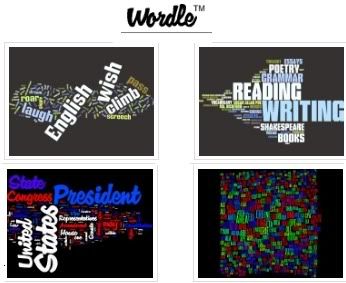
Wordle is a very interesting
web2.0 tool . It is a fun application that creates “
word clouds” from text that you provide. The key words or words that occur repeatedly in the text become prominent in the cloud and the ones which are used the least are the smallest units of this cloud . The visual aspects of word clouds are interestingly eye-catching which in turn provides many opportunities for educational use.

Some features of wordle
Let me walk you through some of the most interesting features of
Wordle :
- Wordle is a free and easy to use service
- It does not require any account registration
- You can tweak your clouds with different color schemes, layouts and fonts
- The clouds Wordle creates for you are images that you can use as you wish
- You can print , save or share your images with your friends
How can I get started using Wordle ?
First go to
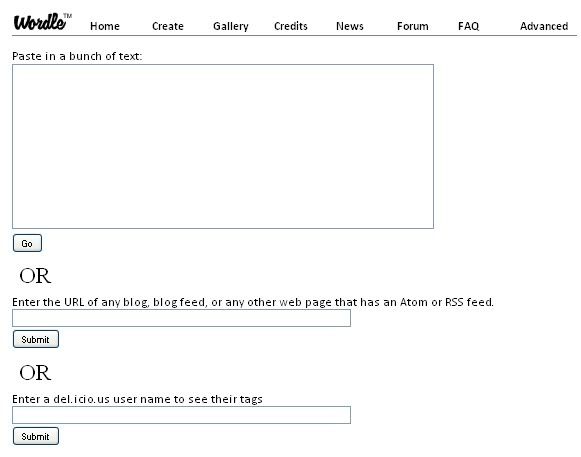
Wordle main page and click on “ create “ . You will be directed to the page where you can either :
- Paste in a bunch of text
- Enter the url of any blog , or any other web that has an atom or rss feed .
- Enter a delicious name to see their tags

Whichever you choose , you click on submit and you will get the result.
To customize your cloud use the tool bar on the top of the image , you can change its color ; layout, font ,and language.
Under the image you will find buttons to open your cloud in a new window , print it , randomize it , or save it to public gallery.
Here is a
Wordle cloud I created for my this blog using the
web2.0 tool Wordle

To learn more about
Wordle visit their
FAQ pageYou can also watch this video tutorial for better understanding of how to use this
web2.0 tool .
Applications of wordle in education
Here are some ideas on how we can use
Wordle in the classroom with our students :
- Wordle can be used as a reflection tool at the end of the semester with students compiling a list of the main terms or ideas of what they had learnt during the whole term .
- students can use it to summarize the content of a lesson or reading activity
- They can also use it for self reflection . Teachers can provide a word cloud on a certain topic and students write essays and articles based on the clouds provided
That’s it about
Wordle in Education.
You might also like :
Evernote :a new way to get organized in educationSpringpad : teachers' free notes organizer web2.0 toolA great functionality to improve twitter in educationAlphabetizer : organize students' writingsWeb2.0 the machine is using usThe 21st century skills teachers should haveThe 21st century pedagogy teachers should haveEmbedPlus :The educative way to use Youtube videos